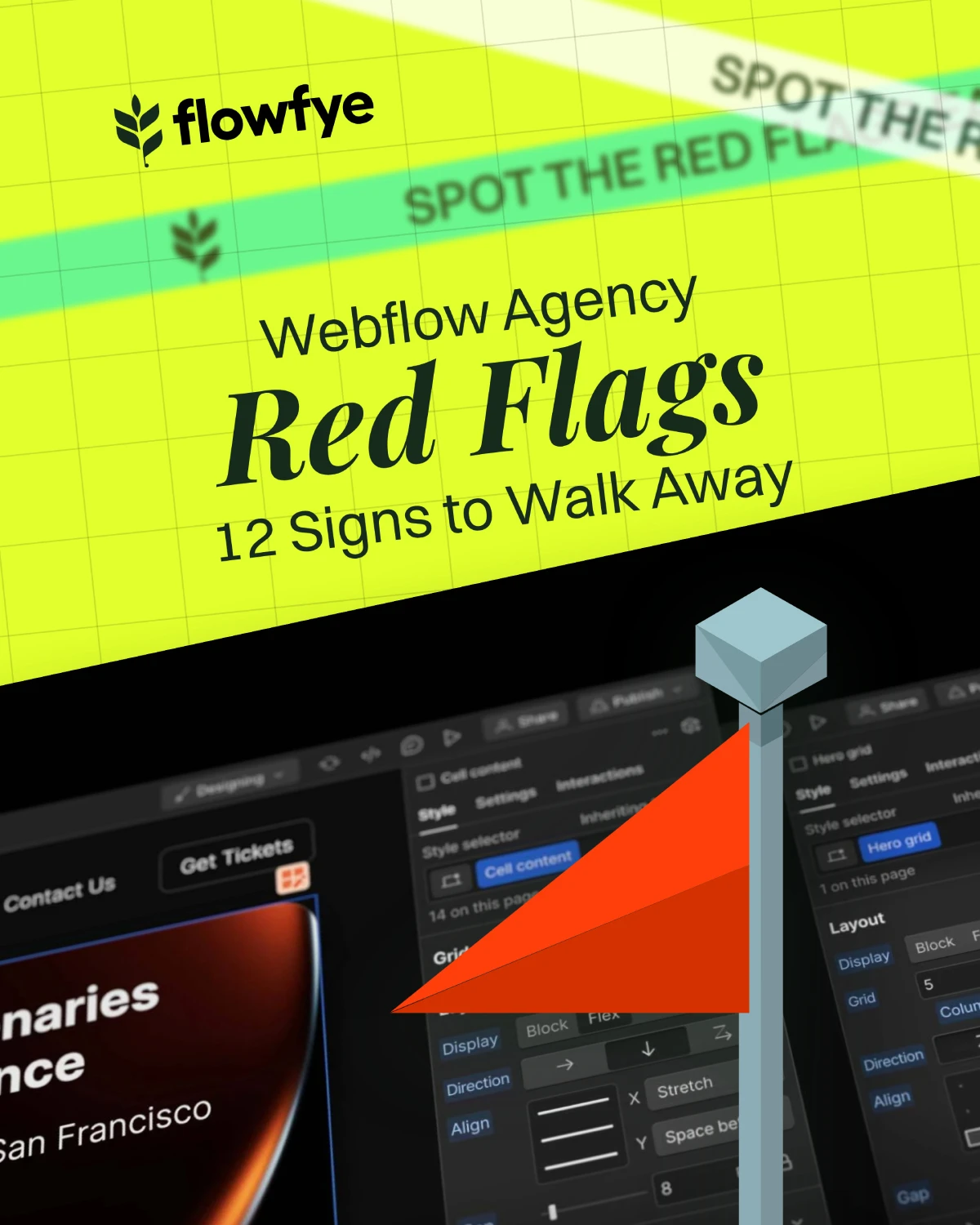
Webflow Agency Red Flags: 12 Signs to Walk Away

Man with glasses, beard, and mustache smiling, wearing a green shirt, with a white background.
by
Abdullah Un Noman
11 minutes read
Last update date:
November 24, 2026
Webflow agency red flags: 12 signs to walk away
Quick Summery

Walk away from a Webflow agency if it can't prove its Webflow experience, sends a quote without a clear scope, won't let you speak to past clients, or plans to keep your site in its own Workspace. Any one of those is reason enough to keep looking. Here are all 12 red flags to watch for:

  1. Partner claims you can't verify
  2. A portfolio of templates sold as custom work
  3. A quote with no scope
  4. A price far below everyone else's
  5. No client references
  6. No questions about your business
  7. Your site stays in the agency's Workspace
  8. Nothing to review until the end
  9. Copy treated as your problem
  10. No plan for redirects and search rankings
  11. A build your team can't edit
  12. No handover, training, or support terms

A Webflow website is a long-term asset. Choosing the wrong agency costs more than the fee: it costs months of delay, lost search traffic, and often a second rebuild. Use this guide before you sign, during the project, and at launch.

Red flags before you sign

Most bad agency relationships can be spotted before the contract. These six signs show up in the sales process, so check for them on your first calls.

1. Partner claims you can't verify

The sign: the agency calls itself a "Webflow Enterprise Partner" or "award-winning Webflow agency", but you can't find it in Webflow's Certified Partner directory.

Why it matters: anyone can put a badge on their own website. Webflow manages partner profiles at webflow.com/@agency-name, which show the agency's tier, when it joined, any Webflow Awards, and its starting price. If the claim isn't there, treat it as marketing.

What to do: ask for the agency's webflow.com profile link and check it yourself. Partner status isn't required for good work, but an agency should never claim status it doesn't have.

2. A portfolio of templates sold as custom work

The sign: the portfolio looks polished, but the sites share the same layouts, or you find them in the Webflow template marketplace.

Why it matters: templates are a smart choice for some projects. The problem is an agency charging custom-design prices while delivering a reskinned template.

What to do: ask which projects were custom and which started from templates, and what the agency's role was on each. Then ask to see one live site, not just screenshots.

3. A quote with no scope

The sign: a single number with a short line such as "Webflow website, 5 to 10 pages."

Why it matters: without a list of pages, deliverables, revision rounds, and integrations, you can't compare quotes, and every change becomes an argument about what was included.

What to do: ask for a written scope that lists pages, the CMS collections, forms and integrations, revision rounds, timeline, and what happens when you want something extra.

4. A price far below everyone else's

The sign: one quote comes in at a fraction of the others for the same brief.

Why it matters: a much lower price usually means something is missing: discovery, copy, mobile design, testing, or support. The cost then shows up later as rework or a second agency.

What to do: line up the quotes by phase and hours. If the cheapest one skips whole phases, it isn't cheaper, it's smaller. Our guide to how much a Webflow agency costs in 2027 shows what each phase should cost.

5. No client references

The sign: the agency avoids putting you in touch with past clients, or only shares anonymous testimonials.

Why it matters: reviews on the agency's own site are chosen by the agency. A 15-minute call with a real client tells you how the team handles deadlines, feedback, and problems.

What to do: ask to speak with one client from a similar project. Also check independent review sites such as Clutch.

6. No questions about your business

The sign: the agency jumps straight to colours, animations, and page counts without asking who your customers are or what the site needs to achieve.

Why it matters: a website that looks good but doesn't explain your offer or convert visitors is an expensive brochure.

What to do: look for an agency that asks about your audience, goals, competitors, and how you measure success before it talks about design.

Red flags during the project

Some problems only appear once work starts. These four signs mean you are losing control of the project, and the earlier you act, the cheaper the fix.

7. Your site stays in the agency's Workspace

The sign: the agency builds and hosts the site in its own Webflow Workspace and has no plan to move it to yours.

Why it matters: Webflow's site ownership policy says a site is owned by the Workspace it sits in. If it sits in the agency's Workspace, the agency owns it, and paying the hosting bill does not give you ownership rights. Webflow also states that it cannot mediate disputes between clients and agencies.

What to do: agree in the contract that the site will be transferred to your Workspace at launch. Agencies on Webflow's Freelancer or Agency Workspace plans can transfer a site along with its Site plan and custom domain. Keep your domain registered in your own name too.

8. Nothing to review until the end

The sign: weeks pass with status updates but no wireframes, Figma files, or staging link.

Why it matters: if you only see the site at the end, every problem gets discovered when it is most expensive to fix.

What to do: ask for reviewable deliverables at each stage: a sitemap, wireframes, designs for desktop and mobile, and a live staging site on a webflow.io address before launch.

9. Copy treated as your problem

The sign: the agency designs around placeholder text and expects you to fill in the words at the end, without saying so up front.

Why it matters: design built around fake text rarely fits real copy. Pages break, launches slip, and the site says less than it should.

What to do: settle who writes the copy before you sign. If you write it, get it done before design. If the agency writes it, make sure it is in the scope and the price.

10. No plan for redirects and search rankings

The sign: you are moving from WordPress or another platform, and the agency hasn't mentioned URL mapping or 301 redirects.

Why it matters: if old URLs break, the search rankings and backlinks they earned can be lost overnight.

What to do: ask for a redirect map before launch that lists every old URL and where it will point, plus a plan to carry over page titles, descriptions, and structured data.

Red flags at launch and after

The last two signs often don't show until launch, which is why you should ask about them before you sign.

11. A build your team can't edit

The sign: every text change needs the agency, the CMS is barely used, or pages are built with heavy custom code and one-off styles.

Why it matters: the main reason to choose Webflow is that marketers can update the site themselves. A messy build removes that benefit and turns every small change into an invoice.

What to do: ask how the agency structures its builds. Good signs include a consistent class-naming system such as Client-First, reusable components, CMS collections for repeat content like blog posts and case studies, and custom code only where Webflow can't do the job. Before launch, try editing a page yourself in Webflow's Editor.

12. No handover, training, or support terms

The sign: the contract ends at "launch", with nothing about training, documentation, bug fixes, or what ongoing help costs.

Why it matters: every site needs small fixes in the first weeks, and your team needs to know how to use it. Without agreed terms, you either wait or pay whatever the agency asks.

What to do: agree on a handover session, a short editing guide, a support window after launch for fixing bugs, and a clear rate or retainer for work after that.

Green flags: what a good Webflow agency does instead

Every red flag has a green-flag opposite. Use this table to compare agencies side by side.

Red flagGreen flag
Partner claims you can't verifyShares its webflow.com profile link without being asked
Templates sold as custom workExplains which projects were custom and what its role was
A quote with no scopeA written scope with pages, deliverables, revision rounds, and timeline
A price far below the othersA price broken down by phase that you can compare
No client referencesPuts you in touch with a client from a similar project
No questions about your businessStarts with discovery: audience, goals, competitors, and success metrics
Site kept in the agency's WorkspaceTransfers the site, Site plan, and domain to your Workspace at launch
Nothing to review until the endShares a sitemap, wireframes, designs, and a staging link at each stage
Copy treated as your problemAgrees who writes the copy before design starts
No redirect planDelivers a redirect map and protects search rankings
A build your team can't editUses a clear class system, components, and CMS collections
No handover or supportTrains your team and agrees support terms in writing

Questions to ask before you sign

Ask every agency on your shortlist these ten questions. Clear, specific answers are a good sign. Vague answers or pushback are not.

  1. Can you share your webflow.com partner profile?
  2. Which of these portfolio sites were custom designs, and what did your team do on each?
  3. Can we speak with a client from a project like ours?
  4. What exactly does the quote include: pages, CMS collections, integrations, and revision rounds?
  5. Who writes the copy, and when is it due?
  6. What will we be able to review at each stage?
  7. Whose Webflow Workspace will the site live in after launch, and who owns the domain?
  8. How will you handle redirects and protect our search rankings?
  9. How will our team edit pages and add new ones after launch?
  10. What support do we get after launch, and what does extra work cost?

Put the answers to questions 4, 7, and 10 in the contract, not just the sales email.

What to do if you already hired the wrong agency

If you spot these signs mid-project, act early. The goal is to protect what you own and keep your options open.

  1. Secure your accounts. Make sure your domain is registered in your name and that you have access to your Webflow site, analytics, and any connected tools.
  2. Request a site transfer. Ask the agency to transfer the site to your own Webflow Workspace. Under Webflow's site ownership policy, the Workspace that holds the site owns it, so this step matters.
  3. Get everything in writing. Ask for the current scope, timeline, and what has been delivered so far, and keep copies of designs, copy, and invoices.
  4. Raise issues once, clearly. List the problems, what you expect, and by when. Some issues are misunderstandings that a direct conversation fixes.
  5. Plan a clean exit if needed. If things don't improve, end the engagement according to your contract and bring in a new team to audit the build before continuing.

A new agency can usually rescue a Webflow project faster than a rebuild from scratch, as long as the site sits in your Workspace and the structure is sound.

Final thoughts

Most bad agency experiences come with warning signs you can spot early. Verify partner claims, insist on a written scope, talk to past clients, and make sure your site lives in your own Workspace. Do those four things and you avoid most of the risk before a single page is designed.

Looking for a Webflow agency you can trust?

At Flowfye, every project starts with discovery and a written scope. You review the work at every stage, and your site is handed over to your own Webflow Workspace at launch, with training and support agreed up front. Book a free 30-minute call with us. Bring this checklist, ask us all ten questions, and decide for yourself. Book a meeting with Flowfye

FAQ

What are the biggest red flags when hiring a Webflow agency?

The biggest red flags are partner claims you can't verify, a quote without a written scope, no client references, and a plan to keep your site in the agency's own Webflow Workspace. Any one of these is reason to keep looking.

How do I check if a Webflow agency is legitimate?

Ask for the agency's profile on webflow.com and check it in Webflow's Certified Partner directory. Then look at live sites it built, read independent reviews on sites such as Clutch, and speak with at least one past client.

Who owns my Webflow website after an agency builds it?

According to Webflow, a site is owned by the Workspace it sits in. If the agency keeps it in its own Workspace, the agency owns it, even if you pay the hosting. Agree in your contract that the site will be transferred to your Workspace at launch.

Is a cheap Webflow agency always a bad choice?

No. A lower price can be fair for a smaller scope, such as a template-based site. The red flag is a much lower price for the same brief, which usually means phases like discovery, copy, testing, or support are missing.

Should a Webflow agency write my website copy?

It depends on the agreement, but someone has to own it before design starts. Many agencies offer copywriting as part of the project. If yours doesn't, write the copy first so the design fits real words.

What should a Webflow agency deliver at launch?

At launch you should receive the site in your own Workspace, your domain connected, a redirect map if you migrated, a handover session, an editing guide, and agreed support terms.

Website Growth Ideas Straight to Your Inbox
Thank you! Your submission has been received!
Oops! Something went wrong while submitting the form.

By entering your email, you are agreeing to our privacy policy.

Portrait of a man with short dark hair, a trimmed beard, and mustache, wearing a blue button-up shirt, smiling slightly.
Portrait of a man with short dark hair, glasses, and a beard wearing a green sweater and smiling slightly.
A young man with short curly hair and a mustache stands confidently with arms crossed in a modern office setting, wearing a black blazer over a white shirt; blurred background shows plants, windows, and wall text reading 'BUILD SOLVE GROW'.
Looking for a Website Growth Partner?

We help SaaS, Fintech, AI, and B2B companies turn complex products into clear, credible, scalable websites.

AI Summary
Share this
November 20, 2026

Webflow Agency Red Flags: 12 Signs to Walk Away

Webflow agency red flags: 12 signs to walk away

A Webflow website is a long-term asset. Choosing the wrong agency costs more than the fee: it costs months of delay, lost search traffic, and often a second rebuild. Use this guide before you sign, during the project, and at launch.

Red flags before you sign

Most bad agency relationships can be spotted before the contract. These six signs show up in the sales process, so check for them on your first calls.

1. Partner claims you can't verify

The sign: the agency calls itself a "Webflow Enterprise Partner" or "award-winning Webflow agency", but you can't find it in Webflow's Certified Partner directory.

Why it matters: anyone can put a badge on their own website. Webflow manages partner profiles at webflow.com/@agency-name, which show the agency's tier, when it joined, any Webflow Awards, and its starting price. If the claim isn't there, treat it as marketing.

What to do: ask for the agency's webflow.com profile link and check it yourself. Partner status isn't required for good work, but an agency should never claim status it doesn't have.

2. A portfolio of templates sold as custom work

The sign: the portfolio looks polished, but the sites share the same layouts, or you find them in the Webflow template marketplace.

Why it matters: templates are a smart choice for some projects. The problem is an agency charging custom-design prices while delivering a reskinned template.

What to do: ask which projects were custom and which started from templates, and what the agency's role was on each. Then ask to see one live site, not just screenshots.

3. A quote with no scope

The sign: a single number with a short line such as "Webflow website, 5 to 10 pages."

Why it matters: without a list of pages, deliverables, revision rounds, and integrations, you can't compare quotes, and every change becomes an argument about what was included.

What to do: ask for a written scope that lists pages, the CMS collections, forms and integrations, revision rounds, timeline, and what happens when you want something extra.

4. A price far below everyone else's

The sign: one quote comes in at a fraction of the others for the same brief.

Why it matters: a much lower price usually means something is missing: discovery, copy, mobile design, testing, or support. The cost then shows up later as rework or a second agency.

What to do: line up the quotes by phase and hours. If the cheapest one skips whole phases, it isn't cheaper, it's smaller. Our guide to how much a Webflow agency costs in 2027 shows what each phase should cost.

5. No client references

The sign: the agency avoids putting you in touch with past clients, or only shares anonymous testimonials.

Why it matters: reviews on the agency's own site are chosen by the agency. A 15-minute call with a real client tells you how the team handles deadlines, feedback, and problems.

What to do: ask to speak with one client from a similar project. Also check independent review sites such as Clutch.

6. No questions about your business

The sign: the agency jumps straight to colours, animations, and page counts without asking who your customers are or what the site needs to achieve.

Why it matters: a website that looks good but doesn't explain your offer or convert visitors is an expensive brochure.

What to do: look for an agency that asks about your audience, goals, competitors, and how you measure success before it talks about design.

Red flags during the project

Some problems only appear once work starts. These four signs mean you are losing control of the project, and the earlier you act, the cheaper the fix.

7. Your site stays in the agency's Workspace

The sign: the agency builds and hosts the site in its own Webflow Workspace and has no plan to move it to yours.

Why it matters: Webflow's site ownership policy says a site is owned by the Workspace it sits in. If it sits in the agency's Workspace, the agency owns it, and paying the hosting bill does not give you ownership rights. Webflow also states that it cannot mediate disputes between clients and agencies.

What to do: agree in the contract that the site will be transferred to your Workspace at launch. Agencies on Webflow's Freelancer or Agency Workspace plans can transfer a site along with its Site plan and custom domain. Keep your domain registered in your own name too.

8. Nothing to review until the end

The sign: weeks pass with status updates but no wireframes, Figma files, or staging link.

Why it matters: if you only see the site at the end, every problem gets discovered when it is most expensive to fix.

What to do: ask for reviewable deliverables at each stage: a sitemap, wireframes, designs for desktop and mobile, and a live staging site on a webflow.io address before launch.

9. Copy treated as your problem

The sign: the agency designs around placeholder text and expects you to fill in the words at the end, without saying so up front.

Why it matters: design built around fake text rarely fits real copy. Pages break, launches slip, and the site says less than it should.

What to do: settle who writes the copy before you sign. If you write it, get it done before design. If the agency writes it, make sure it is in the scope and the price.

10. No plan for redirects and search rankings

The sign: you are moving from WordPress or another platform, and the agency hasn't mentioned URL mapping or 301 redirects.

Why it matters: if old URLs break, the search rankings and backlinks they earned can be lost overnight.

What to do: ask for a redirect map before launch that lists every old URL and where it will point, plus a plan to carry over page titles, descriptions, and structured data.

Red flags at launch and after

The last two signs often don't show until launch, which is why you should ask about them before you sign.

11. A build your team can't edit

The sign: every text change needs the agency, the CMS is barely used, or pages are built with heavy custom code and one-off styles.

Why it matters: the main reason to choose Webflow is that marketers can update the site themselves. A messy build removes that benefit and turns every small change into an invoice.

What to do: ask how the agency structures its builds. Good signs include a consistent class-naming system such as Client-First, reusable components, CMS collections for repeat content like blog posts and case studies, and custom code only where Webflow can't do the job. Before launch, try editing a page yourself in Webflow's Editor.

12. No handover, training, or support terms

The sign: the contract ends at "launch", with nothing about training, documentation, bug fixes, or what ongoing help costs.

Why it matters: every site needs small fixes in the first weeks, and your team needs to know how to use it. Without agreed terms, you either wait or pay whatever the agency asks.

What to do: agree on a handover session, a short editing guide, a support window after launch for fixing bugs, and a clear rate or retainer for work after that.

Green flags: what a good Webflow agency does instead

Every red flag has a green-flag opposite. Use this table to compare agencies side by side.

Red flagGreen flag
Partner claims you can't verifyShares its webflow.com profile link without being asked
Templates sold as custom workExplains which projects were custom and what its role was
A quote with no scopeA written scope with pages, deliverables, revision rounds, and timeline
A price far below the othersA price broken down by phase that you can compare
No client referencesPuts you in touch with a client from a similar project
No questions about your businessStarts with discovery: audience, goals, competitors, and success metrics
Site kept in the agency's WorkspaceTransfers the site, Site plan, and domain to your Workspace at launch
Nothing to review until the endShares a sitemap, wireframes, designs, and a staging link at each stage
Copy treated as your problemAgrees who writes the copy before design starts
No redirect planDelivers a redirect map and protects search rankings
A build your team can't editUses a clear class system, components, and CMS collections
No handover or supportTrains your team and agrees support terms in writing

Questions to ask before you sign

Ask every agency on your shortlist these ten questions. Clear, specific answers are a good sign. Vague answers or pushback are not.

  1. Can you share your webflow.com partner profile?
  2. Which of these portfolio sites were custom designs, and what did your team do on each?
  3. Can we speak with a client from a project like ours?
  4. What exactly does the quote include: pages, CMS collections, integrations, and revision rounds?
  5. Who writes the copy, and when is it due?
  6. What will we be able to review at each stage?
  7. Whose Webflow Workspace will the site live in after launch, and who owns the domain?
  8. How will you handle redirects and protect our search rankings?
  9. How will our team edit pages and add new ones after launch?
  10. What support do we get after launch, and what does extra work cost?

Put the answers to questions 4, 7, and 10 in the contract, not just the sales email.

What to do if you already hired the wrong agency

If you spot these signs mid-project, act early. The goal is to protect what you own and keep your options open.

  1. Secure your accounts. Make sure your domain is registered in your name and that you have access to your Webflow site, analytics, and any connected tools.
  2. Request a site transfer. Ask the agency to transfer the site to your own Webflow Workspace. Under Webflow's site ownership policy, the Workspace that holds the site owns it, so this step matters.
  3. Get everything in writing. Ask for the current scope, timeline, and what has been delivered so far, and keep copies of designs, copy, and invoices.
  4. Raise issues once, clearly. List the problems, what you expect, and by when. Some issues are misunderstandings that a direct conversation fixes.
  5. Plan a clean exit if needed. If things don't improve, end the engagement according to your contract and bring in a new team to audit the build before continuing.

A new agency can usually rescue a Webflow project faster than a rebuild from scratch, as long as the site sits in your Workspace and the structure is sound.

Final thoughts

Most bad agency experiences come with warning signs you can spot early. Verify partner claims, insist on a written scope, talk to past clients, and make sure your site lives in your own Workspace. Do those four things and you avoid most of the risk before a single page is designed.

Looking for a Webflow agency you can trust?

At Flowfye, every project starts with discovery and a written scope. You review the work at every stage, and your site is handed over to your own Webflow Workspace at launch, with training and support agreed up front. Book a free 30-minute call with us. Bring this checklist, ask us all ten questions, and decide for yourself. Book a meeting with Flowfye

Ready to Build
Together?

THANK YOU FOR YOUR VISIT!
THANK YOU FOR YOUR VISIT! ©
THANK YOU FOR YOUR VISIT!
THANK YOU FOR YOUR VISIT! ©
THANK YOU FOR YOUR VISIT!
Smiling face with eyes closed and a warm, content expression.
THANK YOU FOR YOUR VISIT! ©
THANK YOU FOR YOUR VISIT!
THANK YOU FOR YOUR VISIT! ©
THANK YOU FOR YOUR VISIT!
THANK YOU FOR YOUR VISIT! ©
THANK YOU FOR YOUR VISIT!
Smiling face with eyes closed and a warm, content expression.
THANK YOU FOR YOUR VISIT! ©
THANK YOU FOR YOUR VISIT!
THANK YOU FOR YOUR VISIT! ©
THANK YOU FOR YOUR VISIT!
THANK YOU FOR YOUR VISIT! ©
THANK YOU FOR YOUR VISIT!
Smiling face with eyes closed and a warm, content expression.
THANK YOU FOR YOUR VISIT! ©
THANK YOU FOR YOUR VISIT!
THANK YOU FOR YOUR VISIT! ©
THANK YOU FOR YOUR VISIT!
THANK YOU FOR YOUR VISIT! ©
THANK YOU FOR YOUR VISIT!
Smiling face with eyes closed and a warm, content expression.
THANK YOU FOR YOUR VISIT! ©
Webflow Certified Partner